
Team
Upload your own logo
You can store your business's logo in gastrotodo. It is then shown automatically in the app and on official documents.
Only the team lead can change the team logo.
Upload the logo
- Go to Settings › Team › Configure team.
- Next to the team name (below it on a phone) you'll find the Choose Logo button.
- Tap it and pick a file from your device (e.g. JPG or PNG).
- Tap Save changes in the bar at the bottom.
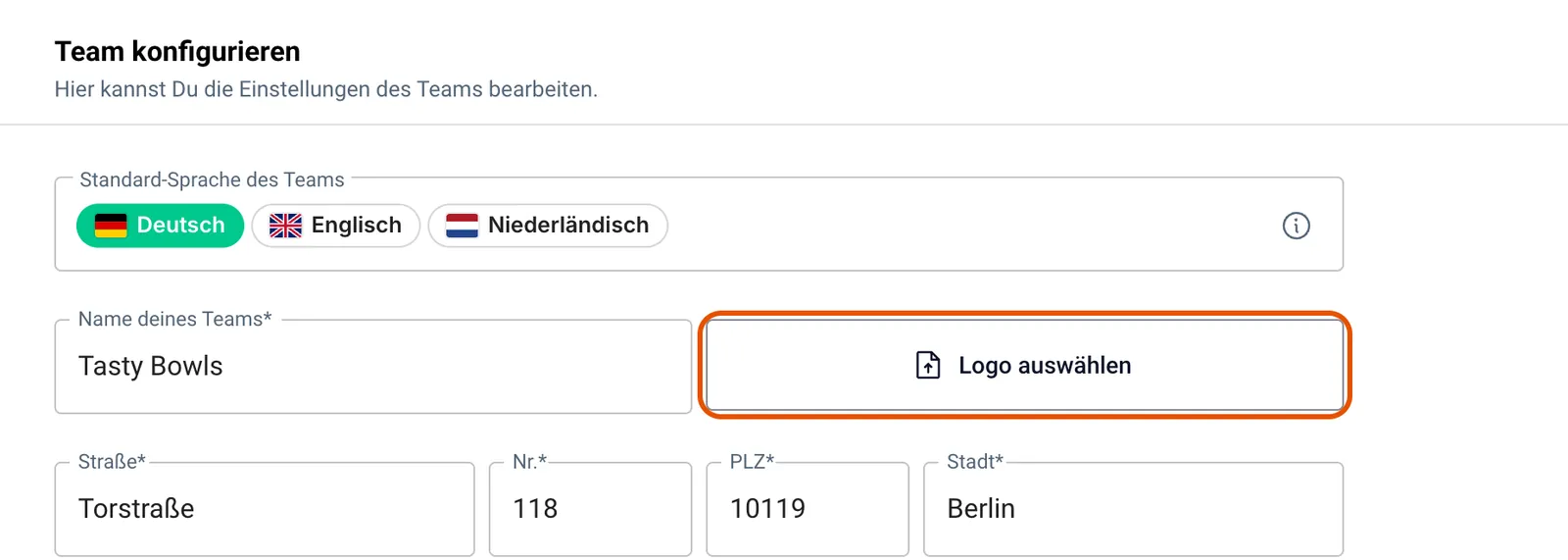
The logo is applied immediately — you don't need to sign in again.
Where does the logo appear?
- HACCP documentation (cover page) — on the print-ready document you open via Settings › Tasks & HACCP › HACCP Audit and then Open documentation on the store. An inspector sees the same document when you give them the HACCP link or QR code. Without a logo, it only shows the business name.
- Inspection sheet — at the top right next to the business name, on the sheet with the QR code for putting up (Download inspection sheet).
- Knowledge base — small, next to the team name at the top of the knowledge base.
- gastrotodo app launch screen — when the app opens on phone or tablet, your logo appears. The app picks it up when you sign in and shows it from the next launch — so a new logo also shows up the next time you open the app. After signing out the app shows no team logo. SVG files don't appear there — use JPG, PNG or WebP.
Tips
- Use a square or near-square image — it's fitted in whole, so it isn't cropped, but a very wide landscape image looks visually smaller on the cover page.
- A transparent background (PNG) looks cleanest on the cover page.
- The logo applies to the entire team. You can't store a separate logo per store.
Remove the logo
Once a logo is stored, the button shows a small preview and Remove Logo. Tap it, then tap Save changes. The HACCP documentation then shows the team name without a logo again.