
Tasks
Recurring tasks (series)
"Check the fridge every morning", "Measure deep-fryer TPM daily", "Inspect the fire extinguishers on the 1st of every month" — that's what series are for. You set up once when the task should appear, and gastrotodo creates it automatically.
Pick a recurrence type
You set the recurrence in step 2 (When?) of the task wizard. There are seven recurrence types:
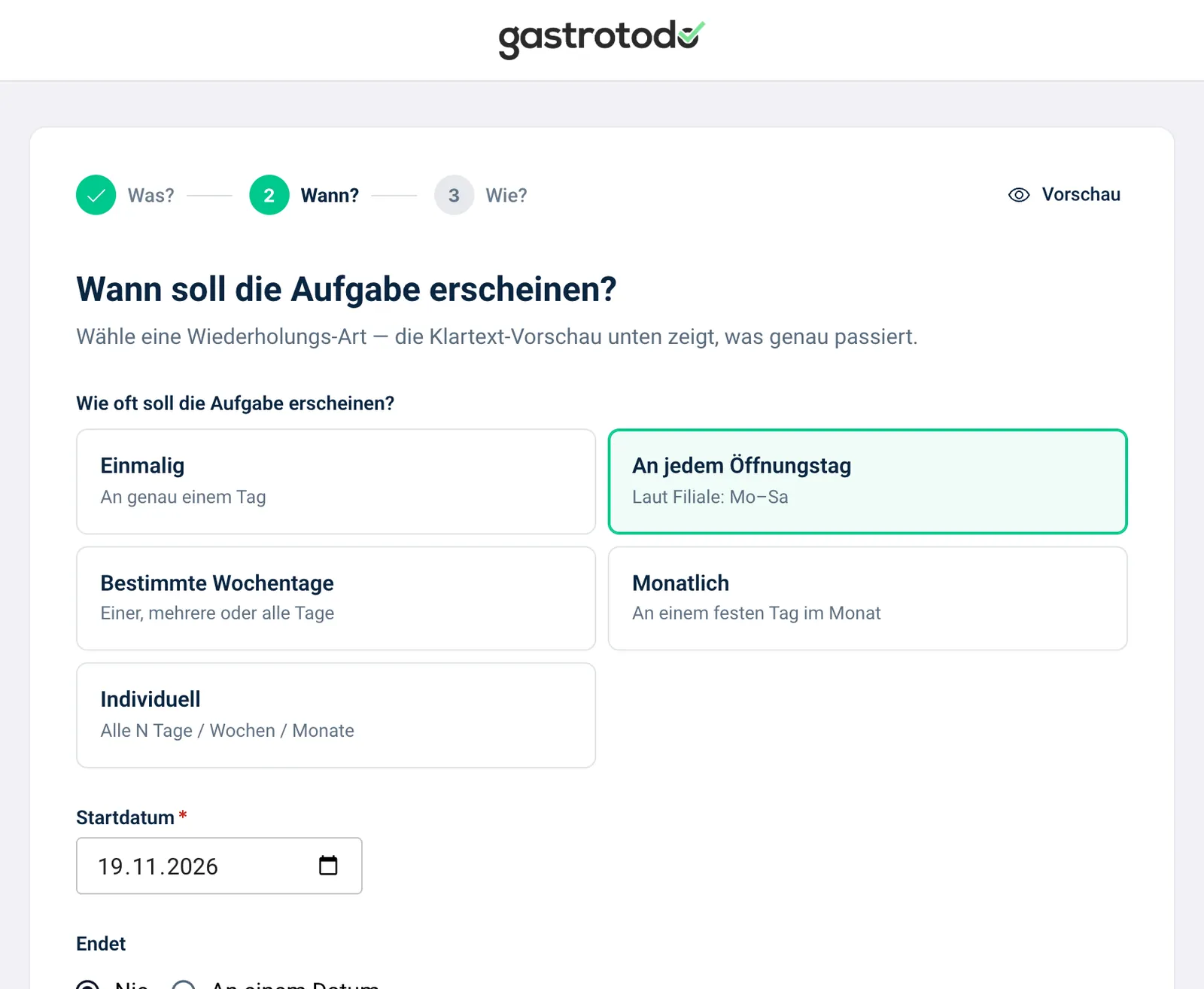
| Type | When does the task appear? |
|---|---|
| Once | On exactly one date — not a series, just a fixed day |
| Every day | Every day of the week, Mon–Sun |
| Every opening day | Only on the days set as opening days for the store. If none are set, it appears every day — the app points this out |
| Once a week | On a fixed weekday (e.g. every Friday) |
| Several times a week | On several weekdays you choose (e.g. Mon/Wed/Fri) |
| Once a month | On the chosen day of the month (e.g. the 1st or the 15th) — the day comes from the start date |
| Custom | Every N days / weeks / months — e.g. "every 3 days", "every 2 weeks", "every 6 months" |
For monthly series the day of the start date counts. If it falls on the 29th, 30th or 31st, the task is skipped in months without that day.
Start date
When should the task first appear? For recurring tasks this is the start of the series. Before that date it won't show up.
End date
- Never — The task keeps repeating until you delete or change it.
- On a date — You set an end date. The end date itself still counts; after that the task no longer appears.
Plain-text preview
While you set the recurrence, gastrotodo automatically builds a sentence below: "This task appears every Friday, from 2. May 2026 until 31. December 2026." So you see right away whether the setting matches what you want.
What happens if a recurring task isn't done?
Every day has its own instance of the task — checking off Monday's task doesn't automatically complete Tuesday's. If a day's instance isn't done, it shows up as overdue on the following days, in place of the new instance rather than next to it: the task never appears twice. Details (including how long a task stays overdue): Completing tasks.
Tip
If you have a task that is almost identical but should apply to a different store, for example: use Duplicate instead of creating it again from scratch.